Translate English to Urdu (and Urdu to English) on WhatsApp
How to reply in Urdu when you think in English, copy-ready English to Urdu WhatsApp phrases, and how to read Urdu chats, Roman Urdu and voice notes in English, on your phone and on WhatsApp Web.
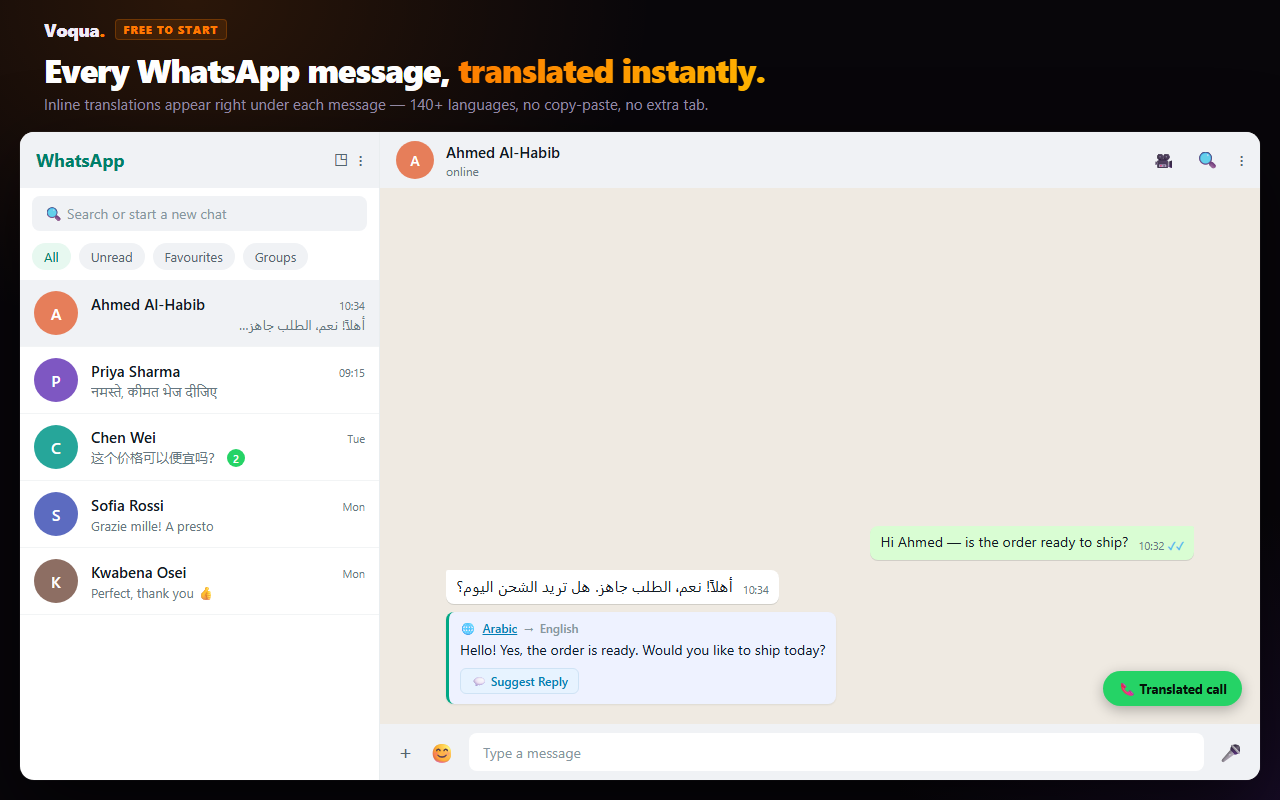
WhatsApp translation with Urdu runs in two directions, and they need different tools. Going English to Urdu means writing a reply your contact can read. Going Urdu to English means understanding what they sent you. If someone sends you Urdu on WhatsApp, the right workflow depends on the message type. A short text message can be copied into any translator. A business chat on WhatsApp Web is faster with an inline translator. An Urdu voice note needs transcription first, then translation, because WhatsApp's own voice-note feature does not translate audio into English.
English to Urdu: on WhatsApp Web, type your reply in English in Voqua and it drafts it in Urdu. On a phone, translate your text with Google Translate or Gboard and paste it, or use the phrase table below. Urdu to English: Voqua translates Urdu chat messages inline on WhatsApp Web and turns Urdu voice notes into an English transcript. For a one-off file, use the free WhatsApp voice-note translator.
How to translate English to Urdu on WhatsApp
WhatsApp's own translator only works on messages you receive. It doesn't translate what you type before you send it, and Android launched it without Urdu. To send Urdu from English, you write in English somewhere else and send the Urdu.
On WhatsApp Web (computer)
- Install Voqua for Chrome and open web.whatsapp.com.
- Open the chat and write your reply in English in Voqua's reply composer.
- Voqua drafts it in Urdu. Read it over, then send it.
- If your contact reads Roman Urdu more easily than Urdu script, say so in your draft request.
On your phone
- Write your message in English in Google Translate, set to English → Urdu.
- Copy the Urdu result and paste it into the WhatsApp chat.
- On Android, Gboard's built-in Translate option does the same thing inside the keyboard, so you never leave WhatsApp.
Whichever way you go, keep numbers in digits and leave English trade terms (MOQ, invoice, LC, sample) in English. Pakistani business chats use them that way, and translated versions read oddly.
English to Urdu WhatsApp phrases you can copy
Everyday and business phrases in both scripts. Roman Urdu is how most people actually type Urdu on WhatsApp, and Urdu script reads as more formal. Where a phrase changes with the speaker's gender, the male form is shown with the female form in brackets.
| English | Urdu | Roman Urdu |
|---|---|---|
| Hello, how are you? | السلام علیکم، آپ کیسے ہیں؟ | Assalam-o-alaikum, aap kaise hain? |
| Good morning | صبح بخیر | Subah bakhair |
| Thank you for your message. | آپ کے پیغام کا شکریہ۔ | Aap ke paigham ka shukriya. |
| I will reply shortly. | میں تھوڑی دیر میں جواب دیتا (دیتی) ہوں۔ | Main thori dair mein jawab deta (deti) hoon. |
| Please send me the price list. | براہ کرم مجھے قیمتوں کی فہرست بھیج دیں۔ | Please mujhe price list bhej dein. |
| What is the rate? | ریٹ کیا ہے؟ | Rate kya hai? |
| What is the minimum order? | کم از کم آرڈر کتنا ہے؟ | Kam az kam order kitna hai? |
| Please send a sample first. | براہ کرم پہلے سیمپل بھیج دیں۔ | Pehle sample bhej dein. |
| When can you deliver? | آپ کب تک ڈلیوری کر سکتے ہیں؟ | Aap kab tak delivery kar sakte hain? |
| I have sent the payment. | میں نے پیمنٹ بھیج دی ہے۔ | Maine payment bhej di hai. |
| Please confirm in writing. | براہ کرم لکھ کر تصدیق کر دیں۔ | Please likh kar confirm kar dein. |
| Please send it as text, not a voice note. | براہ کرم وائس نوٹ کے بجائے لکھ کر بھیجیں۔ | Voice note ke bajaye likh kar bhejein. |
| I didn't understand, please explain. | مجھے سمجھ نہیں آیا، براہ کرم وضاحت کر دیں۔ | Mujhe samajh nahi aaya, wazahat kar dein. |
| Call me when you are free. | فارغ ہو کر مجھے کال کریں۔ | Farigh ho kar mujhe call karein. |
| OK, done. | ٹھیک ہے، ہو گیا۔ | Theek hai, ho gaya. |
| Goodbye | اللہ حافظ | Allah Hafiz |
Best Urdu to English method by WhatsApp message type
| What you received | Best method | Why |
|---|---|---|
| Urdu text on WhatsApp Web | Voqua Chrome extension | It keeps the translation under the original message, so you do not copy, paste, or lose chat context. |
| Urdu text on phone | WhatsApp Translate if available, otherwise copy to a translator | WhatsApp translation is mobile-only and language support depends on platform and rollout. |
| Roman Urdu | Voqua or a translator that handles informal spelling | Roman Urdu is not standardized, so literal word-by-word tools often miss the meaning. |
| Urdu voice note | Voqua voice-note transcription, then English translation | Audio must be transcribed before it can be translated. |
| Live supplier call | Translated call link | WhatsApp does not provide live call translation. |
How to translate Urdu WhatsApp messages on WhatsApp Web
WhatsApp Web does not have a built-in Translate button. That matters because WhatsApp Web is where many importers, exporters, sourcing agents and freelancers handle daily conversations with Pakistani suppliers and customers.
- Install Voqua for Chrome.
- Open web.whatsapp.com and go to the Urdu conversation.
- Use the inline translation action on the message you need to read.
- Check names, prices, quantities, delivery dates and account numbers before replying.
This is the safest workflow for long business threads because the original Urdu stays visible. You can compare the English translation with the surrounding chat instead of judging one pasted line in isolation.
How to translate an Urdu WhatsApp voice note to English
An Urdu voice note has two jobs hidden inside it: speech-to-text and translation. WhatsApp's transcript feature is useful when the spoken language is supported, but it is not an Urdu-to-English translator, and it is not available on WhatsApp Web.
For a voice note inside WhatsApp Web:
- Open the chat in WhatsApp Web.
- Click the Voqua voice-note action on the audio message.
- Read the Urdu transcript and the English translation together.
- If the message contains a price, size, bank detail or shipping date, confirm it back in writing.
For a one-off file, download the voice note and use Translate a WhatsApp Voice Note. It accepts the common WhatsApp audio formats and returns the transcript plus translation.
Why Urdu WhatsApp translation is harder than it looks
Urdu WhatsApp messages are often mixed. A supplier may write the sentence in Urdu script, switch to English for product names, use Roman Urdu for speed, and send numbers in a separate voice note. That is normal business communication, but it makes translation easier to misunderstand.
Roman Urdu has many spellings
The same phrase may appear as کیا ریٹ ہے؟, kya rate hai?, kia rate hai, or rate kya hai. A good translator needs context, not only a dictionary lookup.
Business Urdu often keeps English terms
Words like sample, carton, MOQ, advance, balance, dispatch, invoice and LC often stay in English. The translation should preserve them instead of forcing awkward Urdu or English replacements.
Politeness changes the meaning
Urdu messages can soften a refusal or delay with respectful phrasing. For example, a sentence that looks friendly may still mean "not possible at this price" or "delivery will slip." When money or timing matters, confirm the operational detail, not the tone.
Translate Urdu chats inside WhatsApp Web
Voqua translates Urdu WhatsApp messages inline, transcribes Urdu voice notes, drafts replies, and supports live translated calls. Start free in Chrome.
Add to Chrome — FreeWhat to check before replying in Urdu
Translation helps you understand the message. It does not remove the need to confirm business details. Before sending a reply, check:
- Numbers: price, quantity, carton count, MOQ, sample fee, advance and balance.
- Dates: dispatch date, delivery window, payment deadline and booking cutoff.
- Names: buyer name, company name, product model and city.
- Commitment level: "possible", "confirmed", "trying", and "will do" are not the same thing.
- Voice-note ambiguity: if the audio is noisy, ask for written confirmation before acting on it.
Quick answers
How do I translate English to Urdu on WhatsApp?
On WhatsApp Web, write your reply in English in Voqua's reply composer and it drafts the message in Urdu for you to send. On a phone, WhatsApp's own translator only translates messages you receive, so type your English into a translator such as Google Translate or Gboard's Translate, then paste the Urdu into the chat.
Can WhatsApp translate Urdu messages to English?
On mobile, WhatsApp has built-in message translation, but Android launched with six languages and Urdu was not one of them. On WhatsApp Web, there is no built-in translation at all. For Urdu WhatsApp Web chats, use a browser extension or copy the text into a separate translator.
Can WhatsApp translate Urdu voice notes?
No. WhatsApp's voice-note transcript feature converts audio into text in selected languages; it does not translate that text into English. WhatsApp Web also has no native voice-note transcription.
Does this work for Roman Urdu?
Yes. Roman Urdu is common in WhatsApp business chats, especially for quick negotiation. Voqua can translate Roman Urdu and Urdu script, but you should still double-check numbers and dates.
Is this different from the Urdu-language guide?
Yes. This page is for English speakers writing to, and reading, Urdu WhatsApp contacts. The Urdu guide is written for Urdu-speaking readers who want instructions in Urdu.
WhatsApp Blog - Introducing Message Translations · WhatsApp Blog - Introducing Voice Message Transcripts
Platform behaviour and language notes checked 2 September 2026; English to Urdu section added 16 October 2026.